HSuikit - Custom Categories
Article Index
Page 5 of 9
Custom Categories:
- Now open “YOOtheme” website builder inside the Joomla admin and edit the page where you want to display HikaShop categories using dynamic content.
- Select the preferred builder element from the YOOtheme Pro Website Builder elements list. For example, you can use a Grid element.
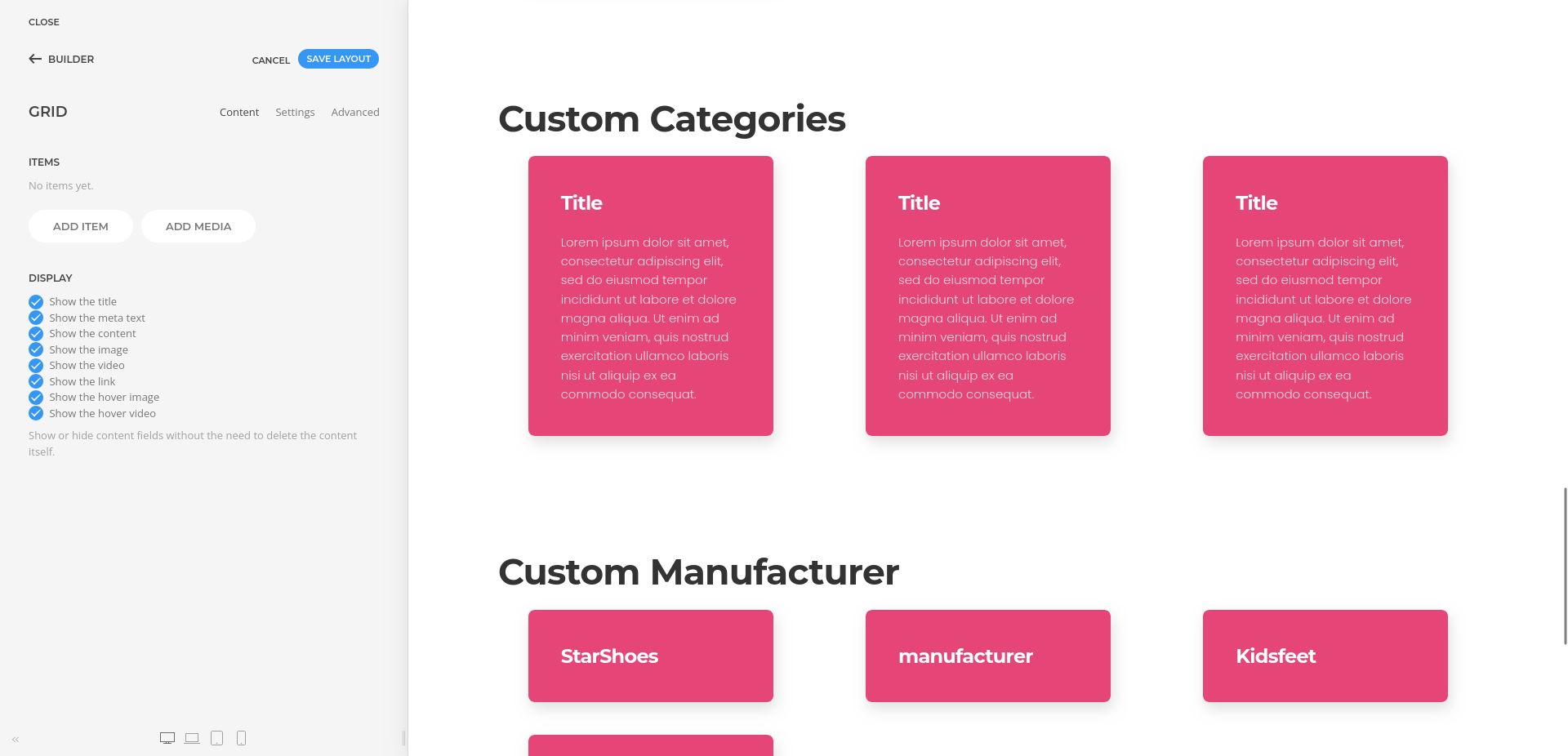
- Click on the selected element and then click “ADD ITEM” to create a new item.
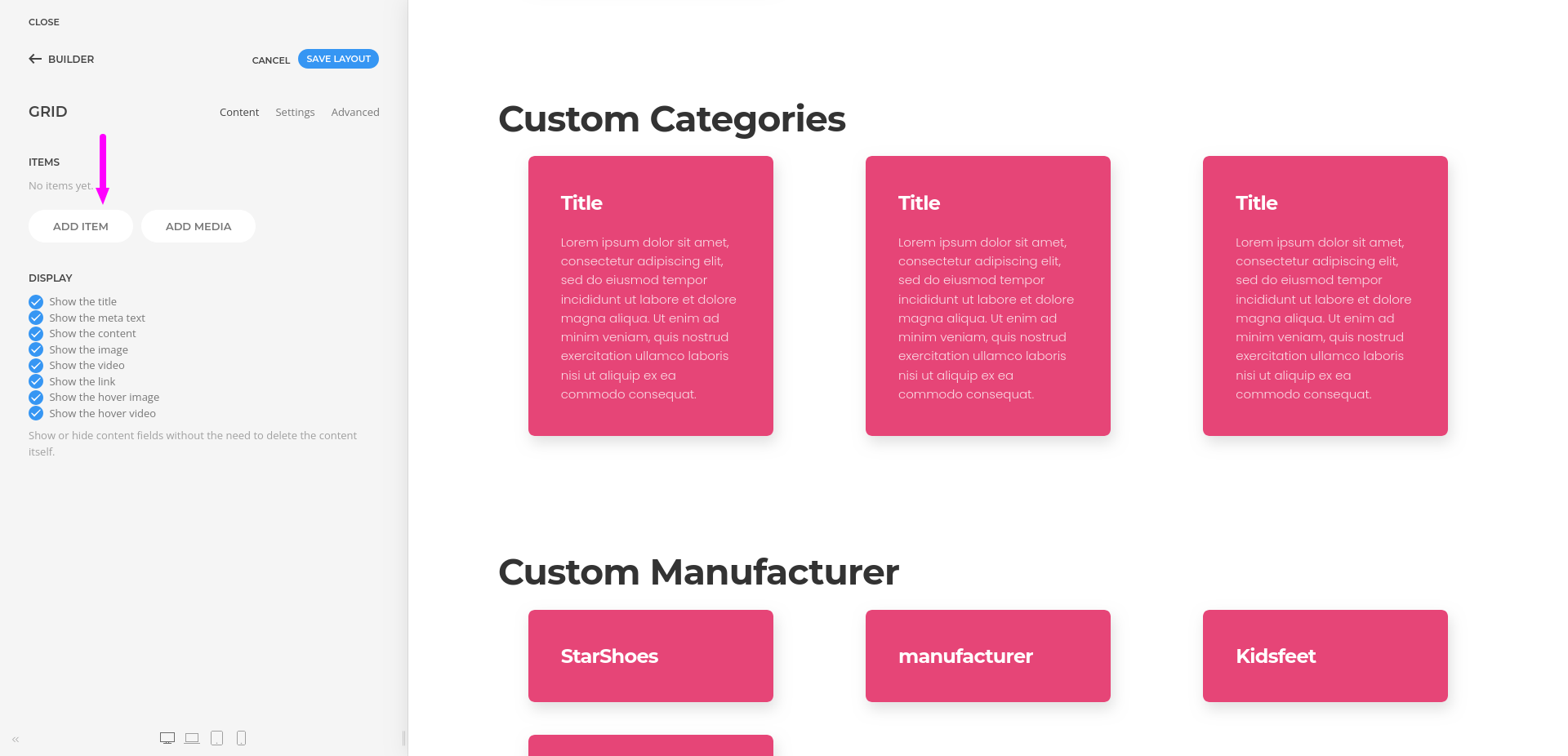
- Open the “Advanced” tab in the new item and select the HikaShop Custom Categories dynamic content source.
- Once a category source is selected, its fields become available for mapping.
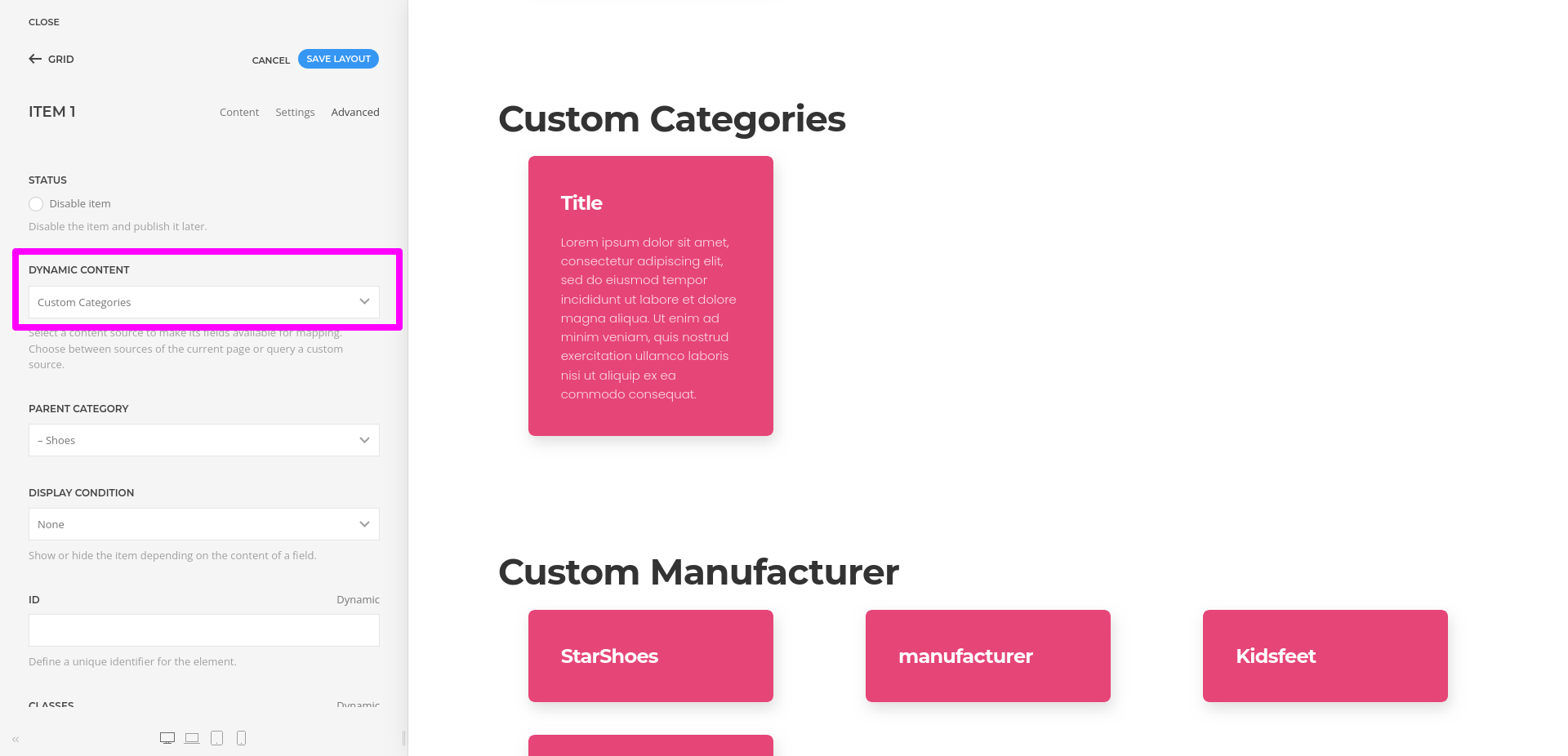
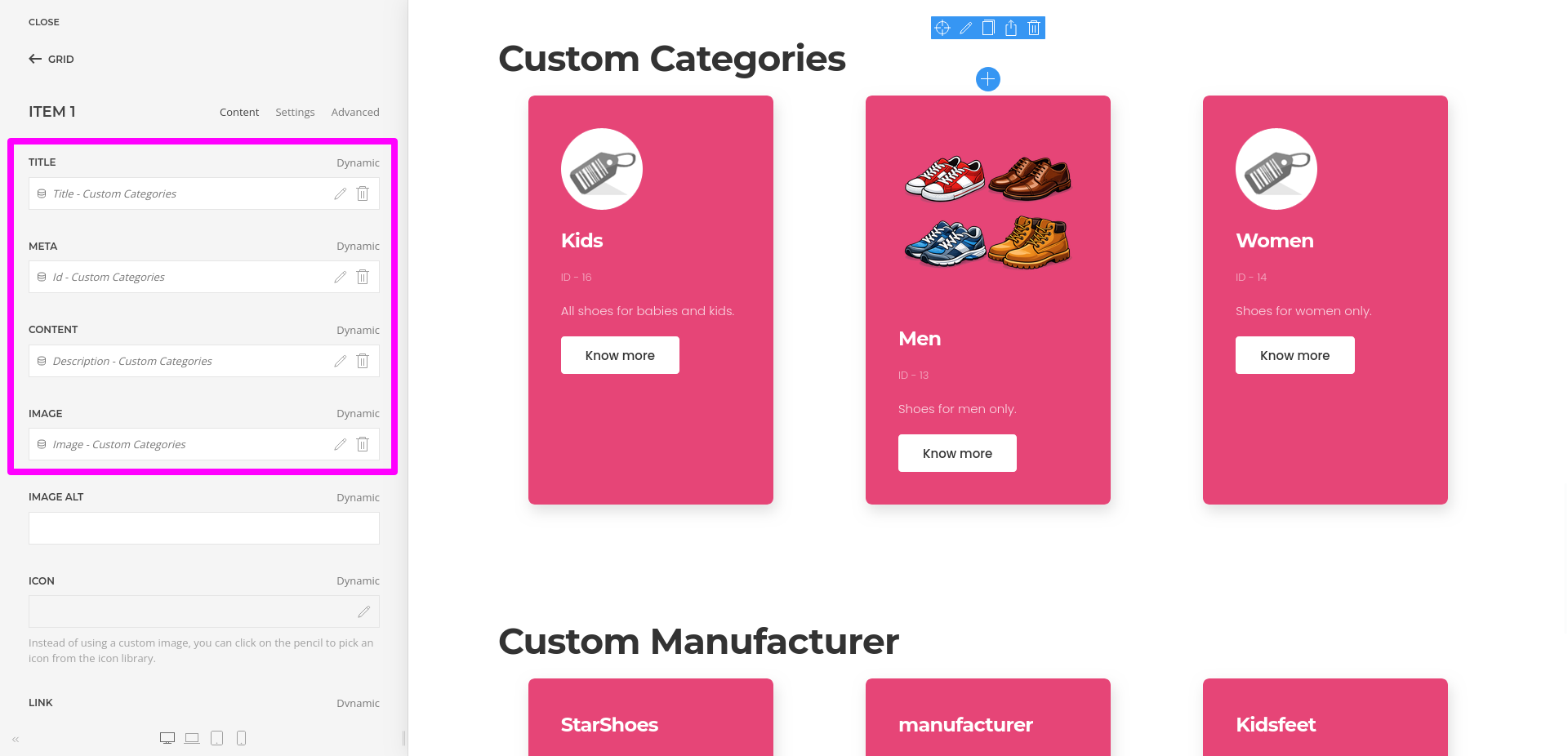
- Then open the Content tab and map the category title, image, description, or link fields to the corresponding element fields.