
JP Agent Tracking Bridge
Latest Version: 0.7.0
JP Agent Tracking Bridge - Wordpress 0.7.0
2026-08-21
| Addition | Initial Release |
JP Agent Tracking Bridge - Joomla 0.3.1
2026-08-21
| Addition | Initial Release |
JP Agent Tracking Bridge connects your WordPress or Joomla website to an AI agent for easier Google Analytics and Google Tag Manager setup, configuration and verification.
Instead of manually building tags, triggers and tracking rules, you can tell your AI agent what you want to measure. The agent can inspect your website and existing tracking setup, recommend suitable events, configure the required tracking and help verify that everything works correctly.
JP Agent Tracking Bridge supports common conversion tracking such as successful form submissions, email clicks, phone clicks, CTA interactions and downloads. The WordPress edition also includes built-in WooCommerce ecommerce tracking.
AI-Assisted Tracking for WordPress and Joomla
JP Agent Tracking Bridge makes it possible to configure and verify website tracking together with an AI agent.
Instead of manually working through Google Tag Manager, selectors, triggers, event names and dataLayer code, you can simply describe what you want to measure in normal language.
For example:
Track successful contact form submissions, email clicks and phone clicks.
Your AI agent can inspect the actual website, review the existing Google Tag Manager and Google Analytics setup, discuss what should be tracked, recommend a suitable event structure and then implement the approved configuration.
The goal is not simply to automate Google Tag Manager. JP Agent Tracking Bridge gives the AI agent a controlled way to understand and configure tracking directly on your website while keeping you in control of what is changed.
Video Guide
Discuss Tracking Before Making Changes
Tracking is often a business decision before it becomes a technical one.
A website may contain several forms, email addresses, phone numbers, downloads and call-to-action buttons, but not every interaction should necessarily be treated as a conversion.
JP Agent Tracking Bridge is designed around a simple workflow:
Inspect → Discuss → Approve → Implement → Verify
The AI agent can inspect what actually exists on the website and help determine the most useful tracking setup before anything is changed.
This allows the agent to work as both a tracking consultant and a technical implementation assistant.
Google Analytics and Google Tag Manager
JP Agent Tracking Bridge is designed to work together with Google Analytics 4 and Google Tag Manager.
Depending on the capabilities available to your AI agent, it can help with tasks such as:
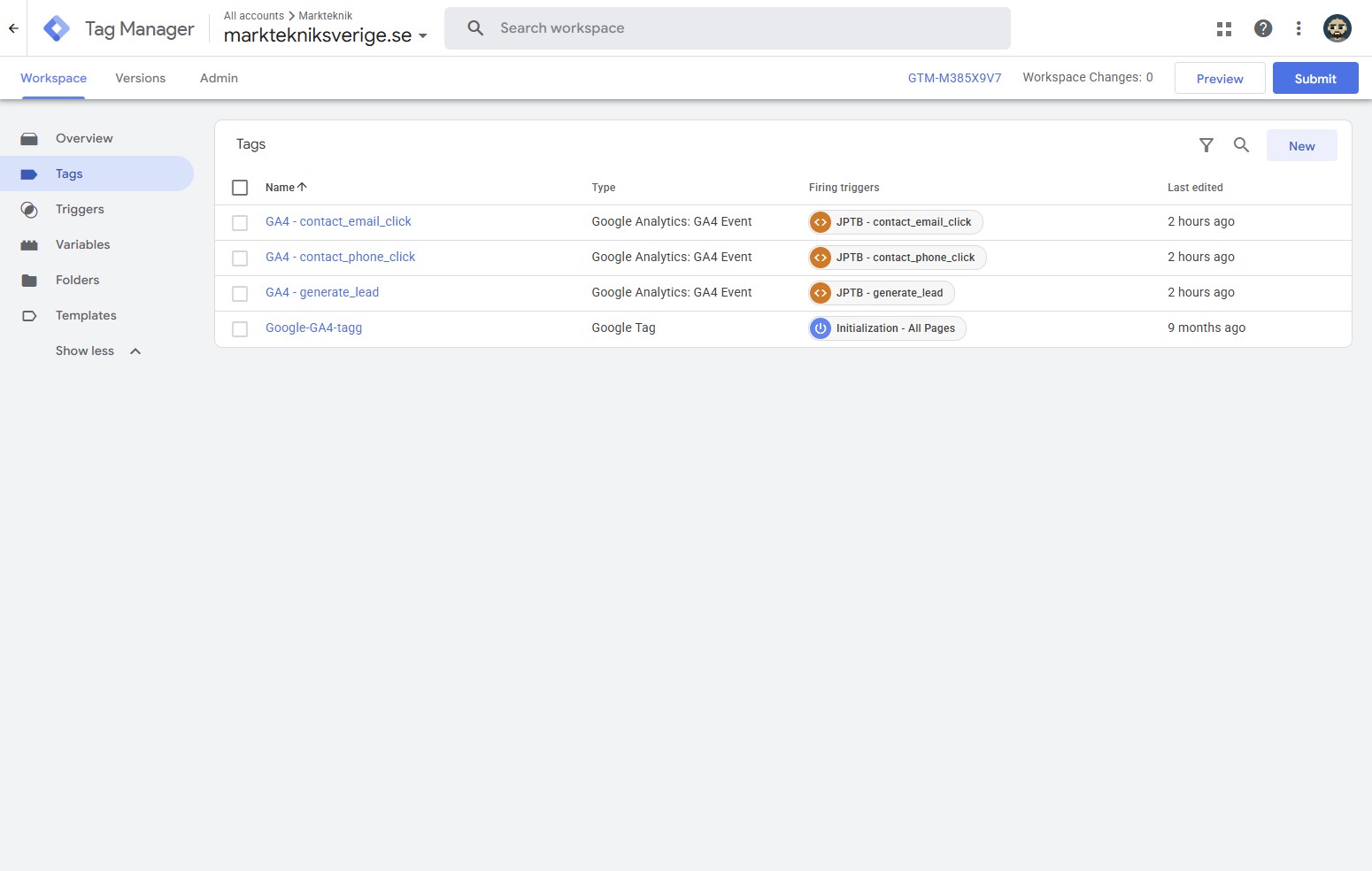
- Inspecting existing Google Tag Manager tags and triggers
- Detecting existing tracking before adding new events
- Creating tracking rules and dataLayer events
- Creating GTM triggers
- Creating GA4 event tags
- Preparing Google Tag Manager container versions
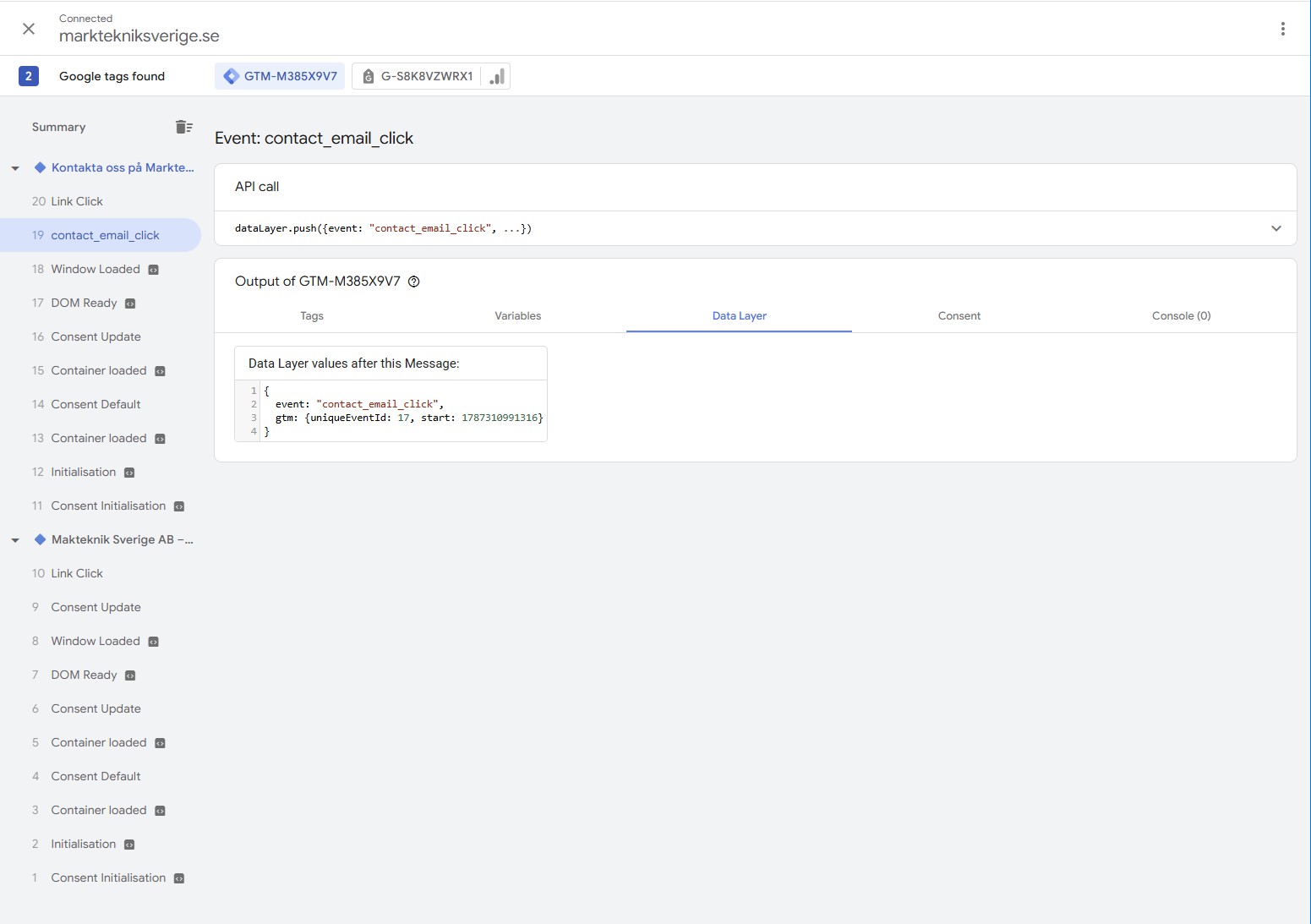
- Verifying events in Google Analytics
- Identifying possible duplicate tracking
- Leaving unrelated GTM integrations untouched
Existing integrations such as Google Ads, Meta, Pinterest or TikTok do not need to be replaced simply because JP Agent Tracking Bridge is being used.
Track Real Conversions
JP Agent Tracking Bridge can be used for many common website interactions and conversion points, including:
- Successful contact form submissions
- Email link clicks
- Phone link clicks
- Call-to-action interactions
- File and PDF downloads
- Lead generation
- Newsletter registrations
- Custom frontend interactions
Where possible, the Bridge tracks the actual successful action rather than simply recording a button click.
For example, an AJAX contact form can be tracked when the form reports a successful submission rather than when the visitor merely presses the submit button.
This helps create cleaner and more meaningful conversion data.
YOOtheme Pro Friendly
JP Agent Tracking Bridge works particularly well with WordPress and Joomla websites built with YOOtheme Pro.
Tracking can be added without changing the visual layout or replacing the website's existing design system.
Support for YOOtheme Essentials form submission events also makes it possible to detect successful AJAX form submissions accurately.
The Bridge itself is designed to remain presentation-neutral and does not take control of your frontend design.
WooCommerce Ecommerce Tracking
The WordPress edition includes an optional WooCommerce event layer.
Enable WooCommerce tracking and JP Agent Tracking Bridge can provide structured, GA4-compatible ecommerce events including:
view_item_listview_itemadd_to_cartremove_from_cartview_cartbegin_checkoutpurchase
Ecommerce events can include relevant product information such as:
- Product ID or SKU
- Product name
- Quantity
- Price
- Order value
- Currency
- Product category
Purchase tracking also includes transaction handling and protection against duplicate purchase events.
This gives the AI agent a reliable ecommerce dataLayer that can be connected to Google Tag Manager without requiring individual tracking code for every WooCommerce action.
Works With Existing Websites
JP Agent Tracking Bridge is not a replacement for Google Tag Manager, Google Analytics or your CMS.
It acts as the connection between your website, your tracking setup and your AI agent.
You can continue using your existing:
- WordPress or Joomla website
- YOOtheme Pro setup
- Google Tag Manager container
- Google Analytics property
- Cookie and consent solution
- Google Ads tracking
- Meta, Pinterest, TikTok and other marketing tags
The agent can inspect the existing setup first and add only the tracking resources needed for the approved task.
Designed to Respect Existing Tracking
Real Google Tag Manager containers are rarely empty.
Your website may already contain advertising conversions, remarketing tags, Meta Pixel, Pinterest, TikTok, custom analytics and other integrations.
JP Agent Tracking Bridge is designed around an inspect-first approach. Existing unrelated tags, triggers and variables should remain untouched unless you explicitly ask the agent to modify them.
This makes it possible to introduce AI-assisted tracking into an established website without rebuilding the entire analytics setup.
Temporary Agent Access
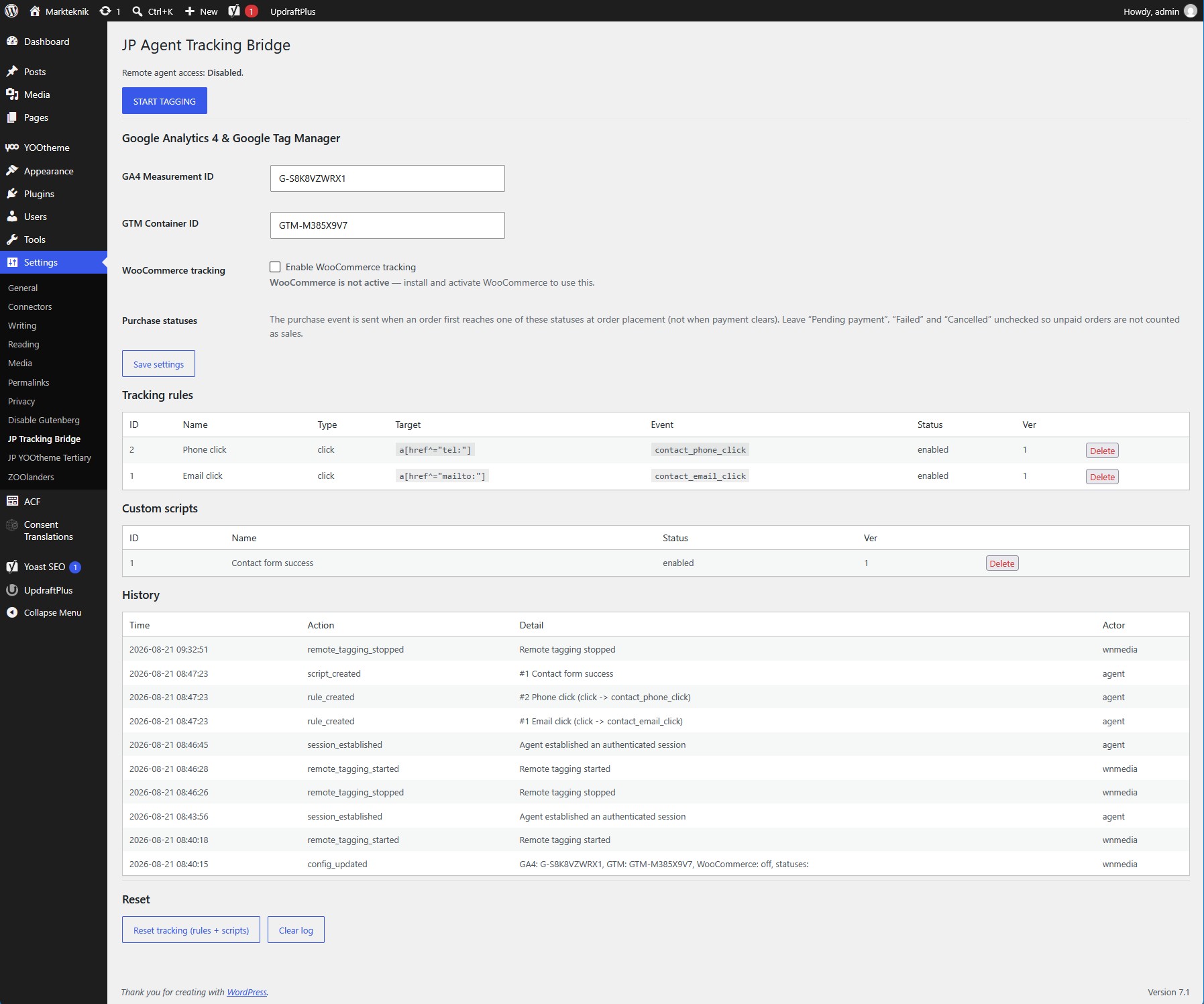
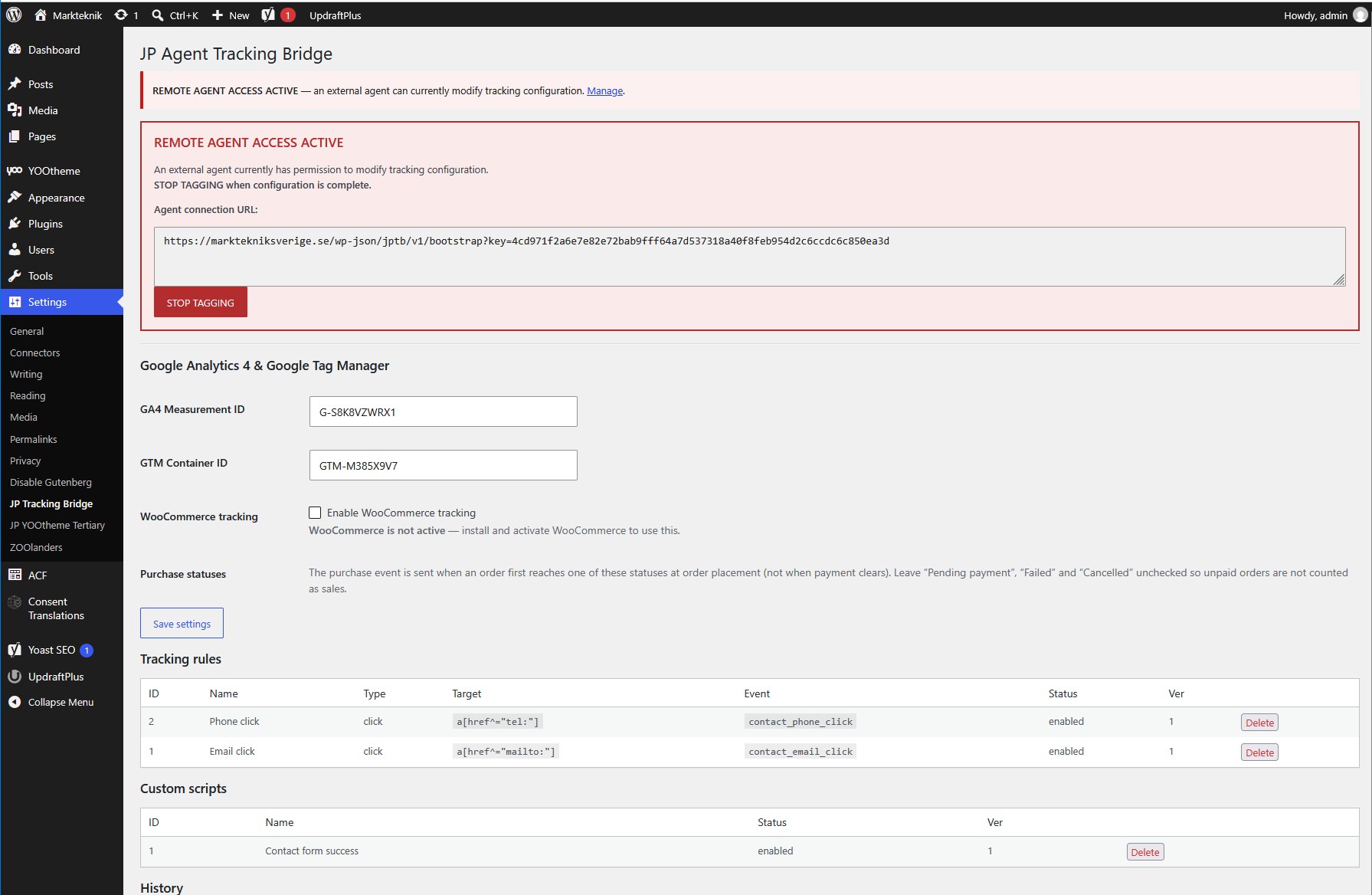
Remote configuration access is only enabled when you choose to start a tagging session.
Press Start Tagging to create a temporary Agent Connection that can be provided to your AI agent.
The agent can then inspect the Bridge configuration and perform the tracking work you approve.
When the work is complete, press Stop Tagging.
Stopping agent access does not remove or disable the tracking that has already been configured. Existing tracking rules continue to operate while remote modification access is revoked.
This keeps normal website tracking separate from temporary AI access.
Connect Your Google Account
JP Agent Tracking Bridge is designed to use Google OAuth so that you can connect using your normal Google account.
The goal is a straightforward setup:
- Connect Google
- Sign in with your Google account
- Approve the requested access
- Let your AI agent work with the Google Analytics and Google Tag Manager resources you already have access to
You do not need to create separate Google service accounts or manually share every Analytics property and Tag Manager container with a technical service user.
Google Analytics access is used for inspection and verification, while Google Tag Manager access allows approved tracking configurations to be prepared and managed.
You Stay in Control
AI automation should not mean giving up control of your production tracking.
JP Agent Tracking Bridge is designed so that important actions remain deliberate.
In particular, publishing a Google Tag Manager container should only happen after explicit approval.
A typical workflow is:
Agent prepares changes → You review the plan → You approve → Changes are published → Tracking is verified
Built for AI Agent Workflows
JP Agent Tracking Bridge is designed for modern AI development and automation environments such as:
- Hermes
- Claude
- Codex
- Other compatible AI agent and tool environments
You do not need to write custom tracking code or understand every technical detail of Google Tag Manager.
A typical request can be as simple as:
Inspect my website and help me track contact forms, phone calls and email clicks. Tell me what you recommend before changing anything.
The AI agent can then inspect the website and existing tracking setup, discuss the recommended implementation with you and perform the technical work after approval.
WordPress and Joomla
JP Agent Tracking Bridge is available for both WordPress and Joomla.
WordPress
Includes the core Agent Tracking Bridge functionality together with optional WooCommerce ecommerce tracking.
Joomla
Provides the same core Bridge concept for Joomla websites, allowing AI-assisted tracking configuration and management.
This makes it possible to use a similar tracking workflow across both CMS platforms.
A Simpler Way to Work With Website Tracking
Website tracking has traditionally required a mixture of CMS knowledge, JavaScript, Google Tag Manager configuration and Google Analytics expertise.
JP Agent Tracking Bridge does not replace those technologies. Instead, it gives an AI agent the controlled tools needed to work with them.
You describe what matters to your business.
The agent inspects what is already there, recommends a sensible solution, implements the approved tracking and helps verify the result.
Less manual configuration. Better visibility. You remain in control.
Privacy Policy & Terms of Service
Changelog:
JP Agent Tracking Bridge - Wordpress 0.7.0
2026-08-21
| Addition | Initial Release |
JP Agent Tracking Bridge - Joomla 0.3.1
2026-08-21
| Addition | Initial Release |
Related products:
-
12 Months - Bundle Subscription
Introducing our exclusive subscription bundle, which encompasses not only all our existing extensions but also grants you access to every future relea...
€ 300.00 (1 years) -
HSuikit Core
HSuikit Core brings HikaShop into YOOtheme Pro with powerful dynamic content integration. Build custom product, category, and manufacturer layouts usi...
Latest Version: 0.9.18€ 60.00 (6 months) -
JP CS Event Booking
JP CS Event Booking is a Dynamic Content Source for YOOtheme Pro that connects the powerful JoomDonation Event Booking component directly to YOOthemeâ...
Latest Version: 2.8€ 50.00 (6 months)