


JP CS DocMan
Latest Version: 1.1.1
JP CS DocMan 1.1.1
2025-07-23
| Addition | The issue with the 'Select Folder' and 'Select Document' fields appearing empty in the latest YOOtheme version has been fixed. |
JP CS DocMan 1.1.0
2025-05-26
| Addition | Custom fields are now supported, allowing users to display field values on the frontend. |
| Security | Tested in Joomla 5.3.0, DOCman 5.2.4 and YOOtheme 4.5.17 |
| Notes |
|
JP CS DocMan 1.0.9
2025-01-28
| Fix | Fixed "Select Category / Document" custom field type loading issue in the builder |
| Security | Tested in Joomla 5.2.3, DOCman 5.1.0 and YOOtheme 4.5.1 |
| Notes |
|
JP CS DocMan 1.0.8
2024-07-18
| Fix | The issue of displaying all documents instead of those from the selected category has been fixed. |
JP CS DocMan 1.0.7
2024-06-07
| Fix | Resolved the issue where some categories were missing from the category selection box in the element configuration. |
JP CS DocMan 1.0.6
2024-03-27
| Fix | Joomla 5 compatible issues fixed and tested with latest DOCman version 5.0.1 |
| Security | Fixed the warning error messages and tested in Yootheme 4.3.8 |
| Notes |
|
JP CS DocMan 1.0.5
2023-11-27
| Fix | Select categories and select document not showing all files - Issue fixed |
JP CS DocMan 1.0.4
2023-11-14
| Fix | Files not working if file name or folder name contain Single Quotes(') - Issue Fixed |
JP CS DocMan 1.0.3
2023-08-02
| Addition | Added new content source "File Icon" for DocMan document type icon. |
| Notes |
|
JP CS DocMan 1.0.2
2023-07-05
| Notes |
|
JP CS DocMan is a Dynamic Content Source for YOOtheme Pro that connects Joomlatools DocMan directly to YOOtheme’s builder. It allows you to use DocMan documents, categories, metadata, and file properties inside any element that supports Dynamic Content.
Build fully custom document archives, download tables, grids, lists, galleries, or advanced layouts — without being limited to a predefined list element.
Perfect for professional document management websites built on Joomla.
Connect DocMan to YOOtheme Dynamic Content
JP CS DocMan exposes Joomlatools DocMan as a dynamic content source inside YOOtheme Pro. This allows you to fetch document data directly into any YOOtheme element that supports dynamic content.
Instead of being limited to a specific list layout, you can build completely custom document presentations using the full power of YOOtheme’s builder.
Use Any YOOtheme Element
Once installed, DocMan becomes available as a dynamic source. You can use:
- Grid layouts
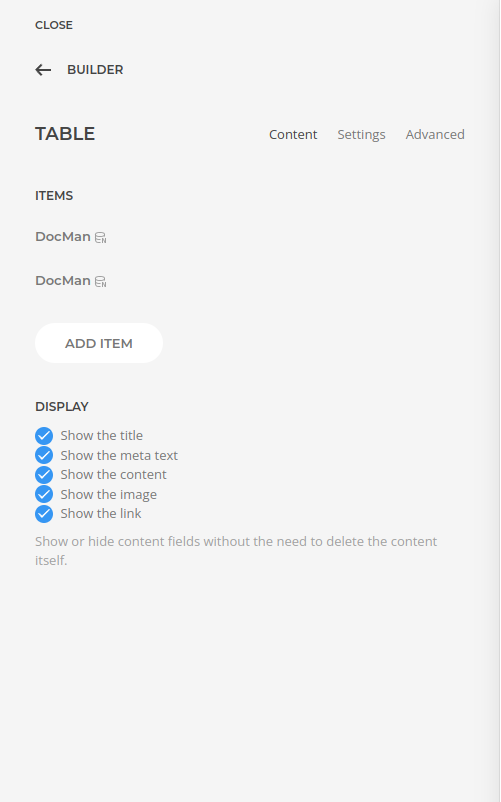
- Tables
- Lists
- Accordions
- Switchers
- Galleries
- Custom section-based templates
You are not restricted to a predefined “document list” layout.
Access Document Data Fields
The source provides structured access to DocMan document properties, including:
- Title
- File name
- File link
- Upload date
- Description
- Featured image
- Category selection
You can fetch entire categories or select individual documents for granular control.
Build Advanced Document Layouts
Create structured download tables with upload dates and direct download links, styled file lists with icons, or image-based document galleries using DocMan’s featured image functionality.
This is especially powerful for:
- Manual and documentation libraries
- Software repositories
- Policy and compliance archives
- Corporate resource centers
- Member-only download portals
Professional Workflow
Content managers continue to manage documents inside DocMan, while designers and developers control presentation entirely within YOOtheme Pro.
This separation of data and layout ensures clean architecture, flexibility, and long-term maintainability.
Built for Joomla & DocMan
JP CS DocMan integrates directly with Joomlatools DocMan and Joomla, extending YOOtheme Pro’s dynamic content system with structured document data.
Video presentation:
Changelog:
JP CS DocMan 1.1.1
2025-07-23
| Addition | The issue with the 'Select Folder' and 'Select Document' fields appearing empty in the latest YOOtheme version has been fixed. |
JP CS DocMan 1.1.0
2025-05-26
| Addition | Custom fields are now supported, allowing users to display field values on the frontend. |
| Security | Tested in Joomla 5.3.0, DOCman 5.2.4 and YOOtheme 4.5.17 |
| Notes |
|
JP CS DocMan 1.0.9
2025-01-28
| Fix | Fixed "Select Category / Document" custom field type loading issue in the builder |
| Security | Tested in Joomla 5.2.3, DOCman 5.1.0 and YOOtheme 4.5.1 |
| Notes |
|
JP CS DocMan 1.0.8
2024-07-18
| Fix | The issue of displaying all documents instead of those from the selected category has been fixed. |
JP CS DocMan 1.0.7
2024-06-07
| Fix | Resolved the issue where some categories were missing from the category selection box in the element configuration. |
JP CS DocMan 1.0.6
2024-03-27
| Fix | Joomla 5 compatible issues fixed and tested with latest DOCman version 5.0.1 |
| Security | Fixed the warning error messages and tested in Yootheme 4.3.8 |
| Notes |
|
JP CS DocMan 1.0.5
2023-11-27
| Fix | Select categories and select document not showing all files - Issue fixed |
JP CS DocMan 1.0.4
2023-11-14
| Fix | Files not working if file name or folder name contain Single Quotes(') - Issue Fixed |
JP CS DocMan 1.0.3
2023-08-02
| Addition | Added new content source "File Icon" for DocMan document type icon. |
| Notes |
|
JP CS DocMan 1.0.2
2023-07-05
| Notes |
|

