
No override open graph

Hello,
Thanks for the Social Share extension.
It seems the extension is not sharing an image or metadata. It is sharing the page but no the extra data.
Maybe I do something wrong. Can you help me?
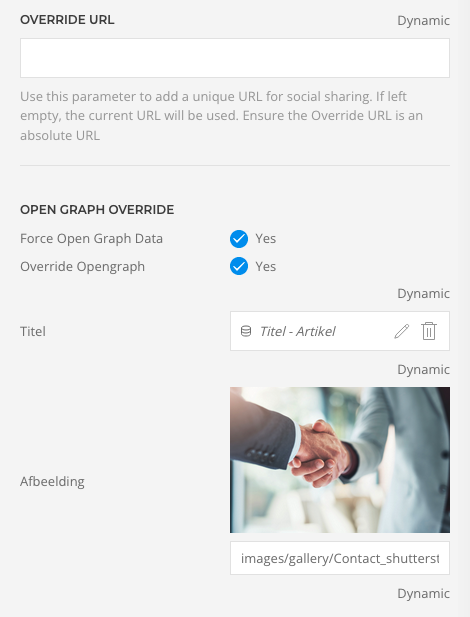
See my attachment.
Thank you very much.
Kees
Thanks for the Social Share extension.
It seems the extension is not sharing an image or metadata. It is sharing the page but no the extra data.
Maybe I do something wrong. Can you help me?
See my attachment.
Thank you very much.
Kees
by keske
Please Log in or Create an account to join the conversation.
- JProStudio
-
 Offline
- Admin
-

- Posts: 536
- Thank you received: 80
If Override Opengraph is enabled, your custom title, description, and image values are used in outputting the meta tags. Since output happens only when Force Open Graph Data is off. Thank you
For urgent help please create a support ticket extensions.joomlapro.com/support/tickets
Last Edit:6 months 1 week ago
by JProStudio
Last edit: 6 months 1 week ago by JProStudio.
Please Log in or Create an account to join the conversation.
Thank you very much. Tried that, also cleared the cache but still the same result. Just the same as without the plugin. Am I forgetting something?
Thanks again.
Kees
Thanks again.
Kees
by keske
Please Log in or Create an account to join the conversation.
- JProStudio
-
Offline
- Admin
-
- Posts: 536
- Thank you received: 80
Kindly share the site admin credentials as confidential message so that we can check and give you a better solution. Thank you
For urgent help please create a support ticket extensions.joomlapro.com/support/tickets
by JProStudio
Please Log in or Create an account to join the conversation.
Hi,
Thank you very much!
Kees
Thank you very much!
This message contains confidential information
Kees
by keske
Please Log in or Create an account to join the conversation.
Oh and the page I use the plugin:
This message contains confidential information
by keske
Please Log in or Create an account to join the conversation.
- JProStudio
-
Offline
- Admin
-
- Posts: 536
- Thank you received: 80
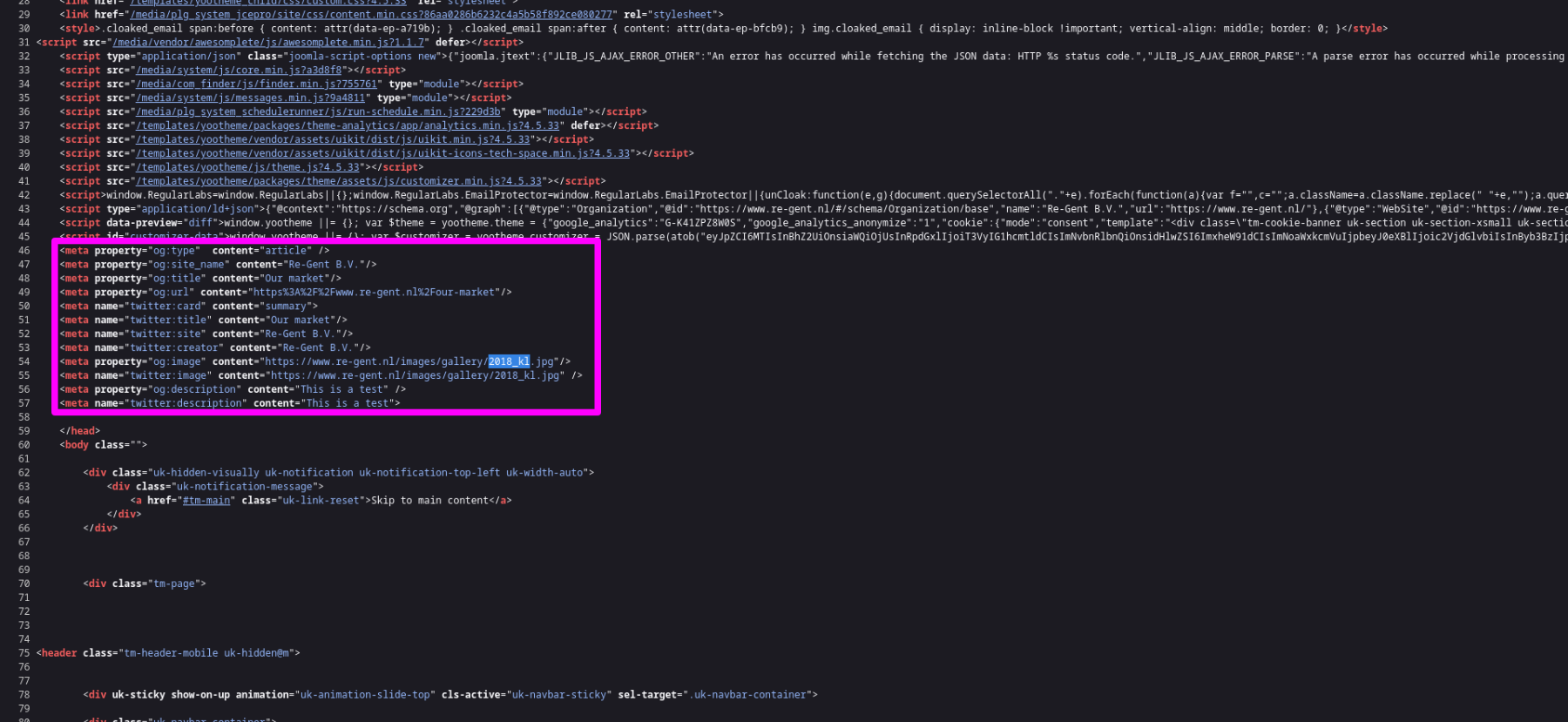
Thanks for sharing the site details. We have checked the referenced site seems it works good with the plugin enabled. Find the attached screenshot for your reference. Thank you
For urgent help please create a support ticket extensions.joomlapro.com/support/tickets
by JProStudio
Please Log in or Create an account to join the conversation.
Thank you very much for your reply.
I see the code and understand it should work.
But if I share this page on Linkedin, the image and data is not visible.
Can you confirm that you tested that and works? I don't understand why this isn't working in my case.
Thank you very much.
Kees
I see the code and understand it should work.
But if I share this page on Linkedin, the image and data is not visible.
Can you confirm that you tested that and works? I don't understand why this isn't working in my case.
Thank you very much.
Kees
by keske
Please Log in or Create an account to join the conversation.
- JProStudio
-
Offline
- Admin
-
- Posts: 536
- Thank you received: 80
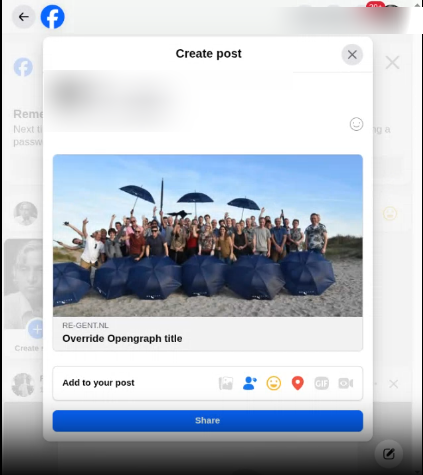
We have checked by sharing the page in facebook, the override image and data works good. Thank you
For urgent help please create a support ticket extensions.joomlapro.com/support/tickets
Last Edit:6 months 1 day ago
by JProStudio
Last edit: 6 months 1 day ago by JProStudio.
Please Log in or Create an account to join the conversation.
- JProStudio
-
Offline
- Admin
-
- Posts: 536
- Thank you received: 80
You might need to clear cache from Linkedin - try the URL here ->
www.linkedin.com/post-inspector/
For urgent help please create a support ticket extensions.joomlapro.com/support/tickets
by JProStudio
The following user(s) said Thank You: keske
Please Log in or Create an account to join the conversation.
Hi,
Thank you very much. I see now that it is working.
Thanks again!
Kees
Thank you very much. I see now that it is working.
Thanks again!
Kees
by keske
Please Log in or Create an account to join the conversation.
Time to create page: 0.353 seconds
