JP VM Ajax Search - Add the custom fields created to the virtuemart products
Article Index
Page 4 of 5
Add the custom fields created to the virtuemart products
- Click “Extensions -> Virtuemart -> Products” in the admin menu.
- Click the name of a product or create a new product.
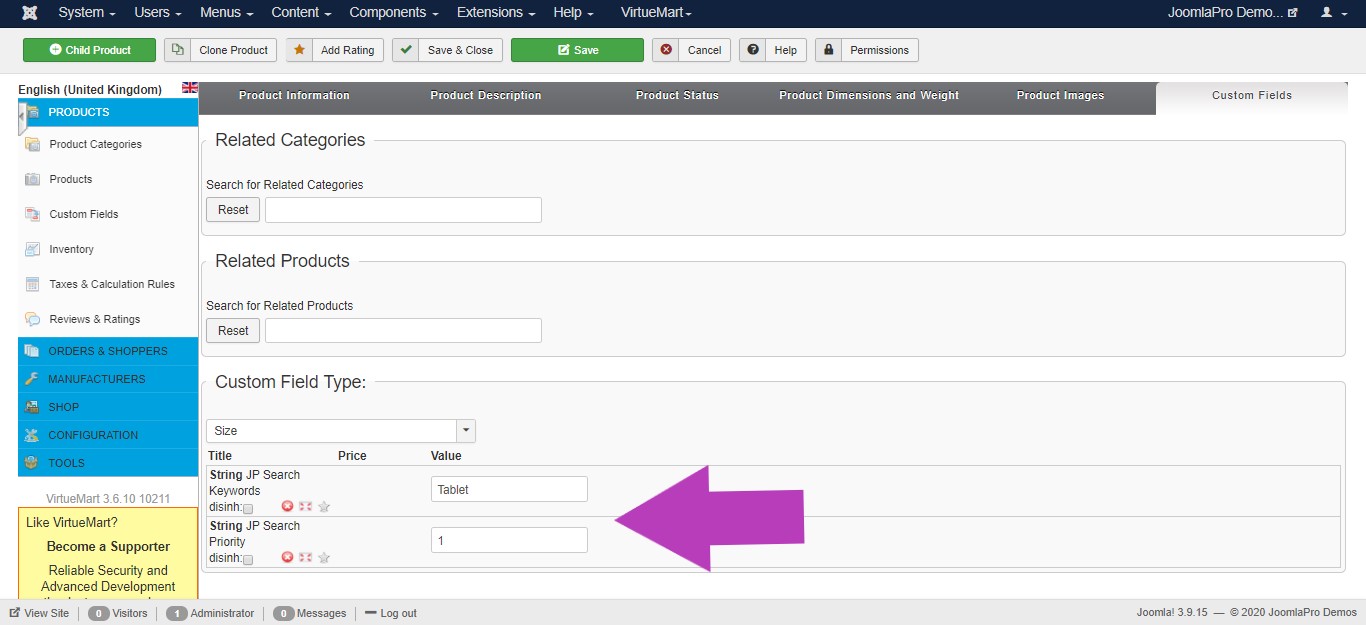
- Click the Custom Fields tab.
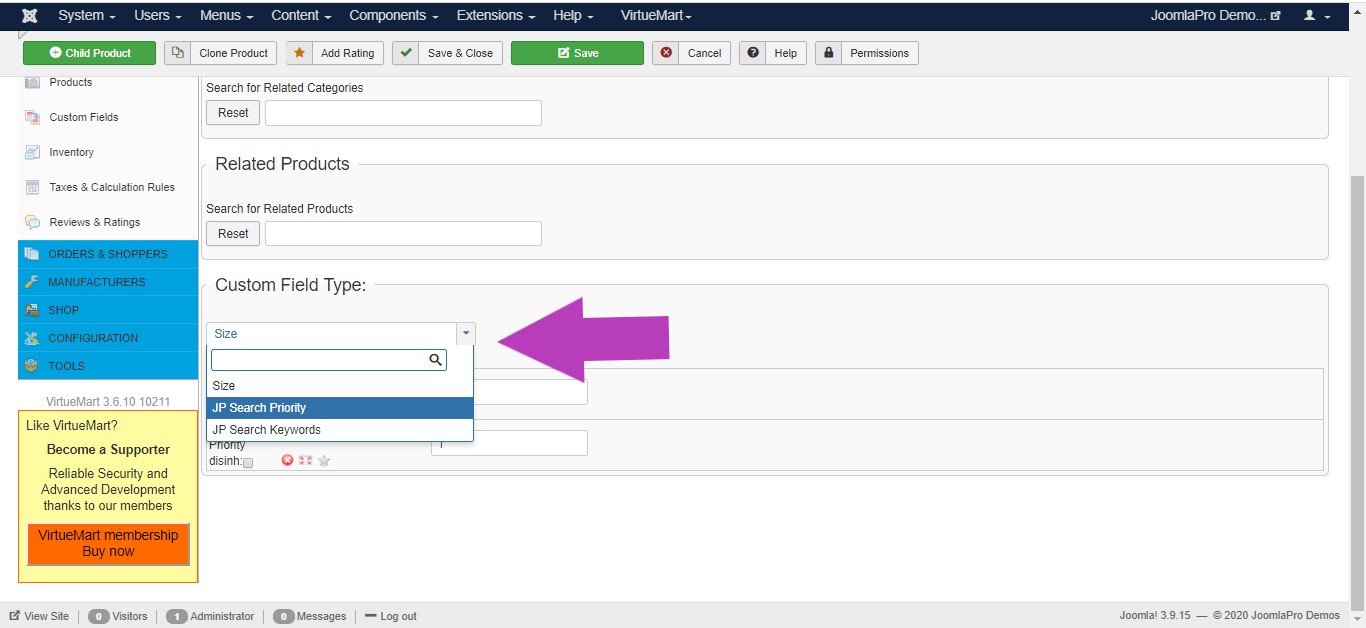
- Select and add “jp_vm_ajax_priority” and “jp_vm_ajax_search” from “Custom Field Type” dropdown box you've created.
- Input the value between1-9 for “jp_vm_ajax_priority”, where 1 belongs to highest priority and keywords for “jp_vm_ajax_search”.
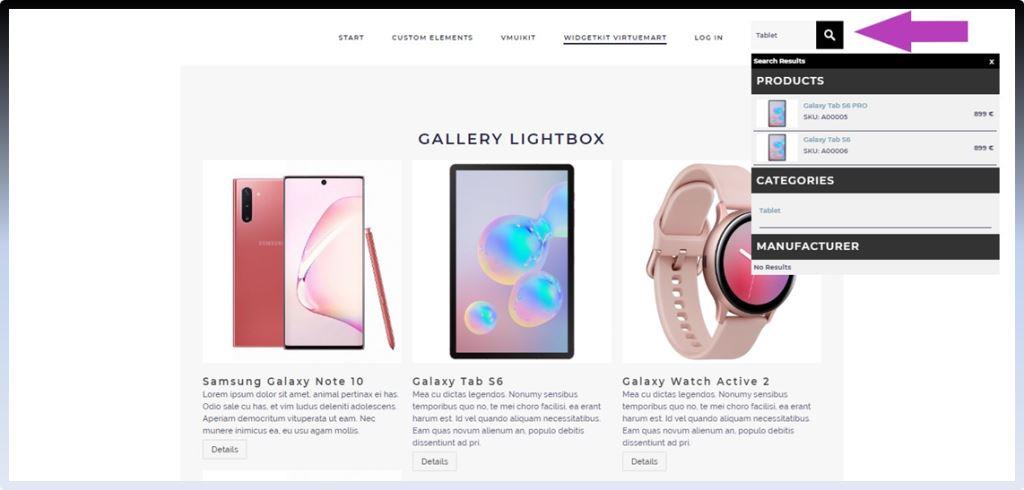
Voilaaa all done! Placed “JP VM Ajax Search Module” in any position of your site now and used to search VM results. The results automatically appear as you type your search keyword and also as per your search priority values order.